Latest Posts

Local Delicacies | Lokale Köstlichkeiten

English
Our weekly ladies’ night out took us to one of the favorite restaurants around. Except that so few of us foreign faculty are around, very few of our colleagues even know of this place, or go there anymore. One of the many setbacks local businesses had to endure with students not being allowed off campus, and the foreign community shrunk down to almost non-existent. We’re the last hold outs, and we sure made sure to enjoy this meal.

Deutsch
Unser wöchtenlicher Mädelabend hat uns diese Woche zu einem unserer Lieblingsrestaurants in Campusnähe geführt. Dieses Restaurant war mal eine der beliebtesten Anlaufstellen der Kollegen. Bis Covid kam, die Zahl der Kollegen auf ein fast nicht existentes Minimum geschrumpft ist, und die lokalen Geschäfte bekommen es zu spüren. Nicht zuletzt deshalb, weil die Studenten ja nicht vom Campus dürfen. Also sind wir die letzte Bastion, and wir haben sichergestellt, dass wir unser Abendessen aus vollen Zügen genießen.

Freebie Friday: Silhouette Sketch & Template – Traveler’s Notebook #1

Anzeige (Enthält Produktempfehlung) / Advertisement (Contains product endorsement)

English
I’m starting a new series of freebies, and this one is for digital as well as traditional scrapbookers alike. It’s a traveler’s notebook sketch based on one of my page spreads from this year, and you can use this sketch in several ways:

  1. Use as simple sketch.
  2. Use as template for traditional scrapbook products.
  3. Use as template for digital products, or a mix thereof.

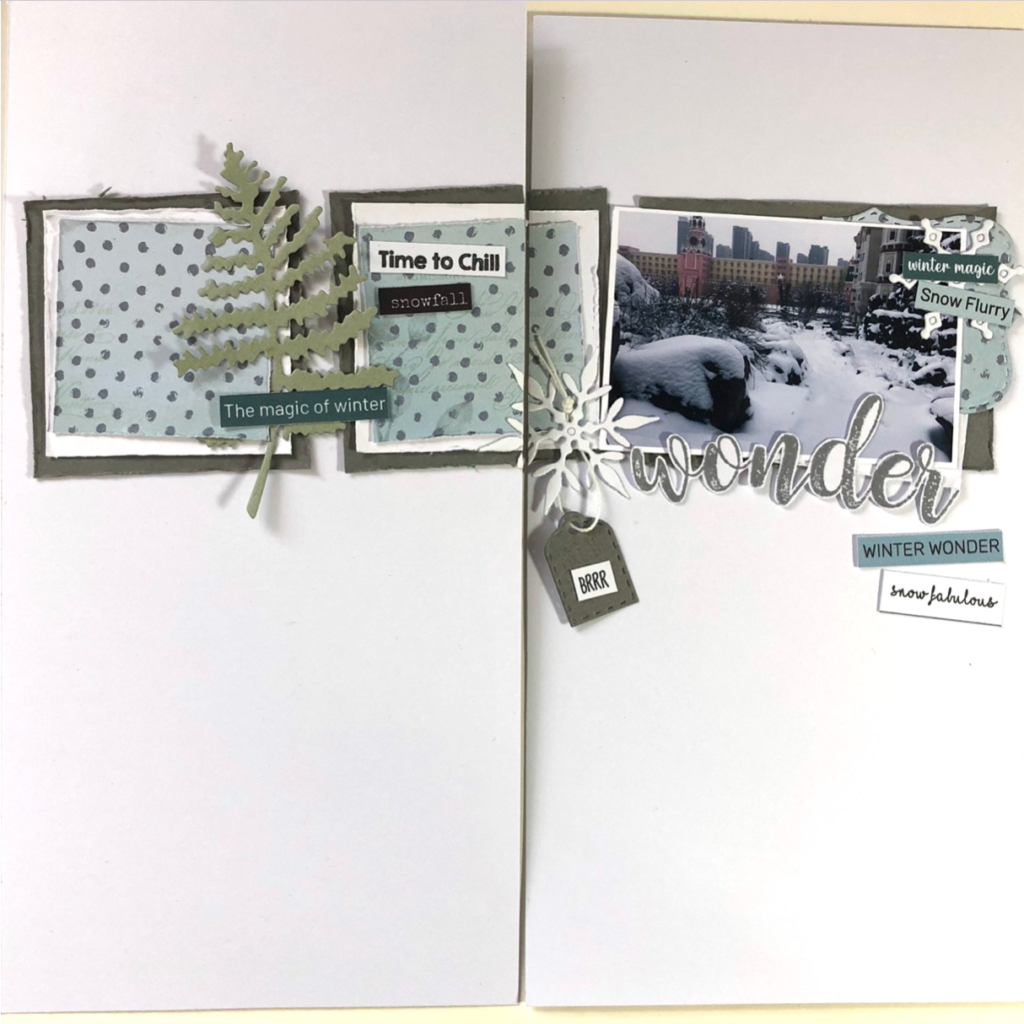
Here is the page on which this sketch is based:

Deutsch
Heute geht’s los mit einer neuen Serie von Freebies, und diese sind sowohl für traditionelles Scrapbooking als auch digitales. Es handelt sich hierbei um Vorlagen für Traveler’s Notebook Seiten, und ihr könnt diese Vorlagen auf verschiedene Weise verwenden:

  1. Als einfache Vorlage zum abgucken.
  2. Als (Schneide)Vorlage für traditionelle Scrapbook Produkte.
  3. Als Schneidevorlage für digitale Produkte, oder eine Mischung aus digitalen und herkömmlichen Produkten.

Hier ist die Seite, auf der diese Vorlage basiert:

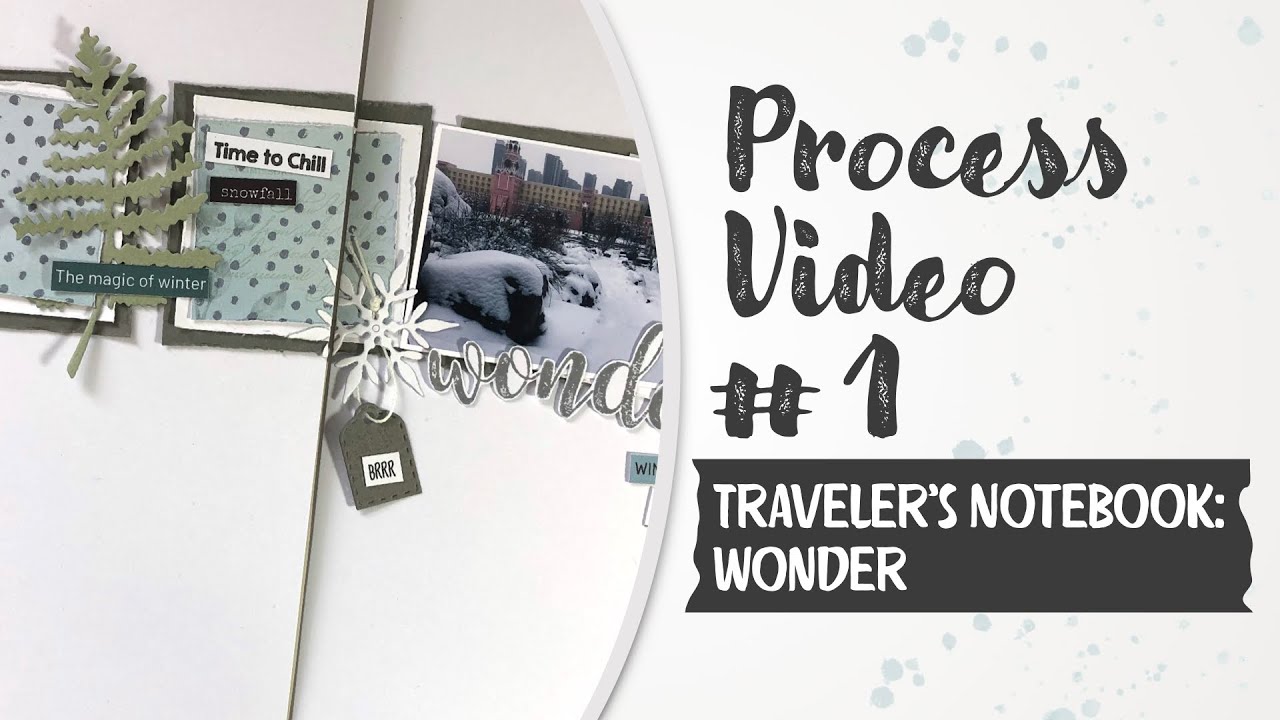
I even have a process video showing how I put this page together.

Ich habe sogar ein Video, das zeigt, wie diese Seite zustande kommt.

YouTube player

Here is how this template works.

1. Sketch
Just take inspiration from the image and build your page based on it.

2.a. Template Traditional Style (Option A)
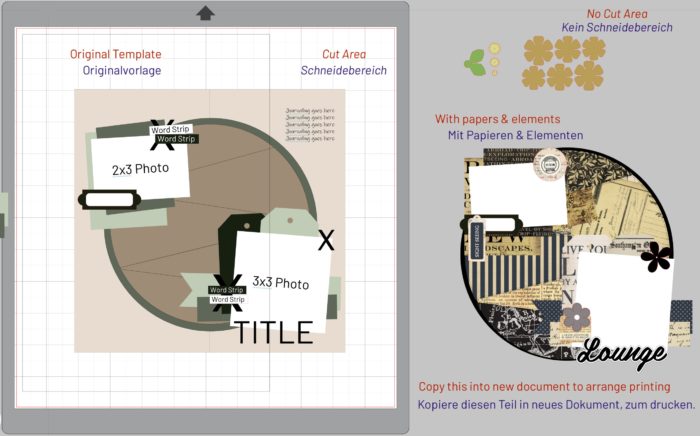
Open the file (in Silhouette Studio or in your cutting machine’s software, using the svg). Get the measurements of each item, then cut your papers accordingly with your trimmer, die cuts, or by hand.

2.b. Template Traditional Style (Option B)
Open the file in your machine’s software, then use the individual elements to cut your papers and other elements. (If you choose this option, I recommend you pay attention to the Important Notes below.)

3. Template for Digital Products
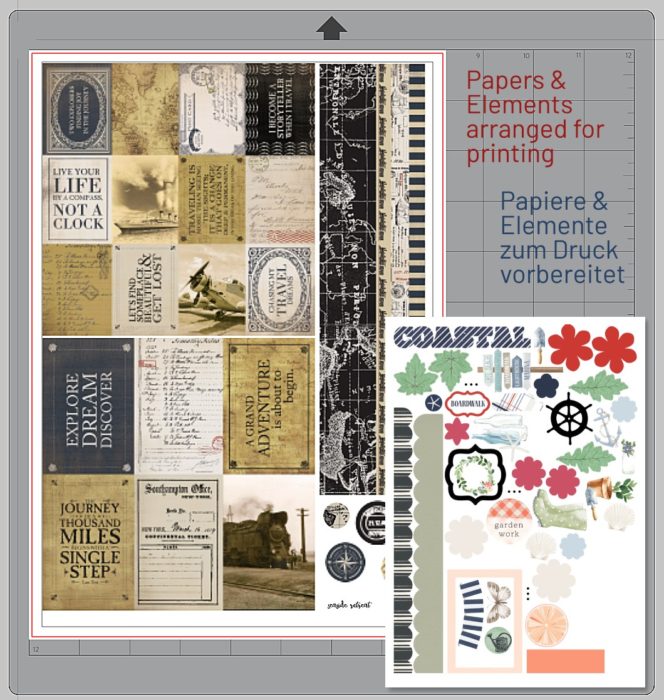
The last option I will recommend here is that you can use your digital products to clip to the individual elements of this page. Rearrange everything in your cut file to prepare for printing, then print and cut. (You can download the digitals freebie kits available here at mistyhilltops.com to get you started with digital products.)

Und so funktioniert das mit der Vorlage:

1. Vorlage zum Abgucken
Nimm einfach die Inspiration der Vorlage und stelle deine Seite eigenh¨andig nach der Vorlage zusammen.

2.a. Vorlage für traditionelles Scrapbooking (Option A)
Öffne die Datei (in Silhouette Studio oder die SVG Datei mit der Software deines Schneidegeräts). Dann nutze die Maße der einzelnen Elemente, um deine Papiere und Elemente zuzuschneiden (Trimmer, Stanzen, per Hand).

2.b. Vorlage für traditionelles Scrapbooking (Option B)
Öffne die Datei in der Software deines Gerätes, dann nutze die individuellen Elemente der Vorlage, um deine Papiere und andere Elemente auszuschneiden. (Wenn du diese Option wählst, empfehle ich, dass du auch die Empfehlungen (Hilfreiche Tipps) unten beachtest.

3. Vorlage für digitale Produkte
Die letzte Option, die ich hier empfehle ist, dass du deine digitalen Produkte benutzen kannst, um sie auf die individuellen Elemente dieser Vorlage zuzuschneiden. Ordne alles so an, dass die Elemente gedruckt und dann ausgeschnitten werden können. (Du kannst dir eine Reihe digitaler Kits hier bei mistyhilltops.com als Freebie herunterladen, um mit digitalen Produkten zu beginnen.)

*Important Notes When Using The Cut File – Recommendations*

1. Use a Copy (Not the Original)
If you want to be able to reuse this template, I highly recommend you copy the file, and work with the copy, not the original. Once you opened the copy, you can delete all instructions (if you like), and move things around.

2. Keep Arrangement
When working with digital products, keep one version in which you have the arrangement as you intend it to look on the finished page for ease of reference. Copy the papers and elements you want to use for printing, and either paste them into the same document (moving the original arrangement out of the cut space into the gray area), or paste them into a new document where you prepare everything for cutting.

Hilfreiche Tipps

1. Verwende einen Kopie (nicht das Original)
Für den Fall, dass du deine Vorlage erhalten möchtest, empfehle ich, dass du dir eine Kopie anlegst und damit arbeitest. Bei der Kopie kannst du alle unerwünschten Bestandteile (Anweisungen, Beschriftungen) entfernen, und Elemente hin und herschieben.

2. Behalte die ursprüngliche Anordnung
Wenn du mit digitalen Produkten arbeitest, empfehle ich dir, dass du eine Version der fertigen Anordnung beibehältst. Dann vergisst du nicht, wie du alles geplant hast. Entweder kannst du dieses Design auf die Seite (außerhalb des Schneidebereichs – Graufläche) verschieben, oder kopiere deine Drucksachen in ein neues Dokument, wo du alles für den Druck anordnen kannst.

Because I use different weights of cardstock for papers and elements, I actually create a new doc for papers to be printed, and a separate one for elements.

Da ich Papiere von unterschiedlicher Stärke für Papiere und Elemente verwende, erstelle ich ein neues Dokument für Papiere, die ausgedruckt werden sollen, und ein separates für die Elemente.

Watch a video of how to use the template/sketch:

Hier gibt’s ein Video, das zeigt, wie die Vorlage verwendet werden kann:

YouTube player

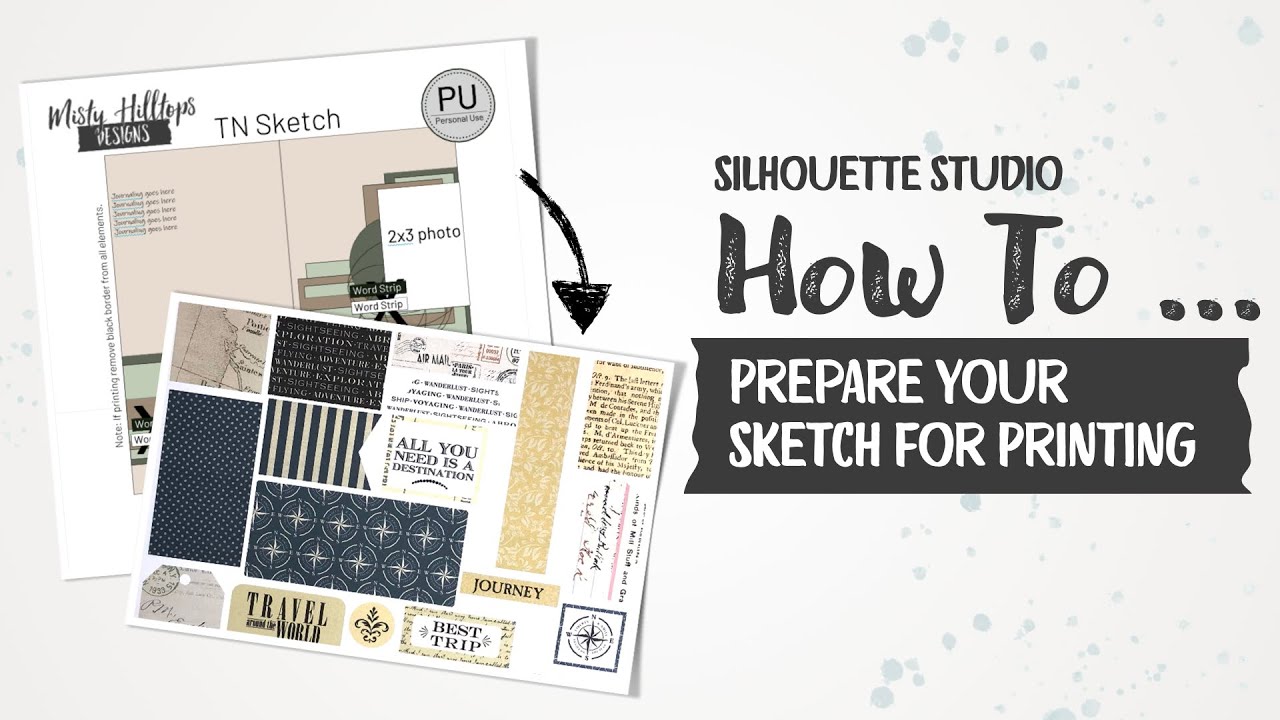
The following video shows how you can prepare your template for printing and cutting.

Das folgende Video zeigt, wie du die Vorlage f¨ur’s Drucken und Schneiden vorbereitest.

YouTube player

Here you can see how a cutting template becomes a finished layout:

Hier kannst du sehen, wie eine Schneidevorlage zum fertigen Layout wird:

YouTube player

As this video is not yet public at the point of publishing this post, I can’t embed the video. But you should be able to view it through directly accessing the link above.

Also, keep an eye out on a video tutorial that’s coming soon that explains how I get perfect prints & cuts with my Silhouette.

Da dieses Video zum Zeitpunkt der Erstellung dieses Artikels noch nicht veröffentlicht wurde, kann ich das Video hier nicht einbetten. Aber ihr m¨usstet es sehen können, wenn ihr den Link oben klickt.

Übrigens kommt bald ein Video, das erklärt wie ich perfektes Drucken & Schneiden mit meiner Silhouette hinbekomme.

As always, I’d like to remind you to respect my Terms of Use. This and any other of my freebie products are available for personal use only. You may not use it for commercial purposes. You may not re-distribute it, sell it, share it, or make available in any other way to anyone else. You may not direct link to the product on the mediafire website. If you want others to enjoy this product, please send them to this post or website. You are welcome to share about this post or website on Pinterest or via your blog and social media.
Wie immer möchte ich euch daran erinnern, meine   Nutzungsbedingungen zu respektieren. Dieses und jedes andere meiner Freebie Produkte steht euch nur für den persönlichen Gebrauch zur Verfügung. Ihr dürft es in keiner Weise kommerziell verwenden. Ihr dürft es nicht weitergeben, verkaufen, mit anderen teilen oder anderen in sonst irgendeiner Weise zur Verfügung stellen. Ihr dürft auch nicht die direkten Links zur Mediafire Webseite an andere weitergeben. Wenn ihr möchtet, dass andere in den Genuss dieses Produktes kommen, weist sie doch bitte auf diesen Artikel oder diese Webseite hin. Ihr dürft auch gerne über diesen Artikel oder diese Webseite auf Pinterest, eurem Blog oder euren Sozialen Medien posten.

And now, all that’s left to do is to wish you a lot of fun with this. If you use this freebie, don’t forget to come back and share a link to your project with us here in the comments.

Und jetzt bleibt nur noch, euch viel Spass hiermit zu wünschen. Wenn ihr dieses Freebie verwendet, vergesst nicht, zurückzukommen, und einen Link zu euren Projekten in den Kommentaren zu teilen.

Traveler’s Notebook: See the Sights

Anzeige (Enthält Produktempfehlung) / Advertisement (Contains product endorsement)

English
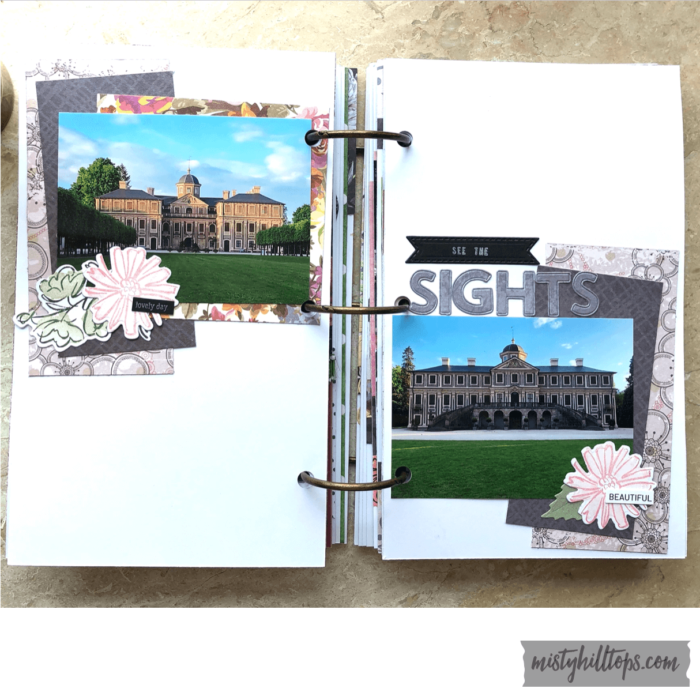
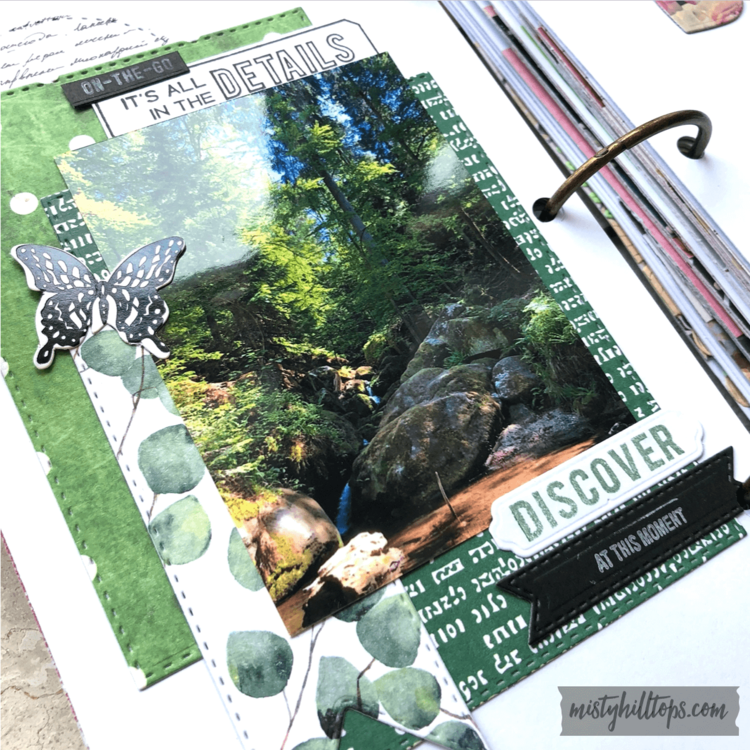
I switched gears with my Summer Day Album. I changed the paper collection, which is an unnamed design pad from Tedi (a store in Germany).

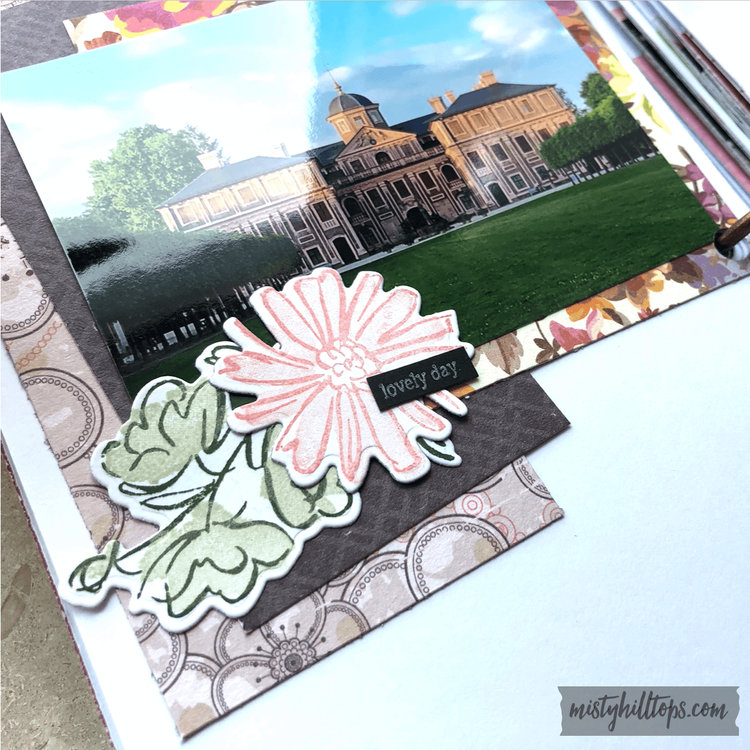
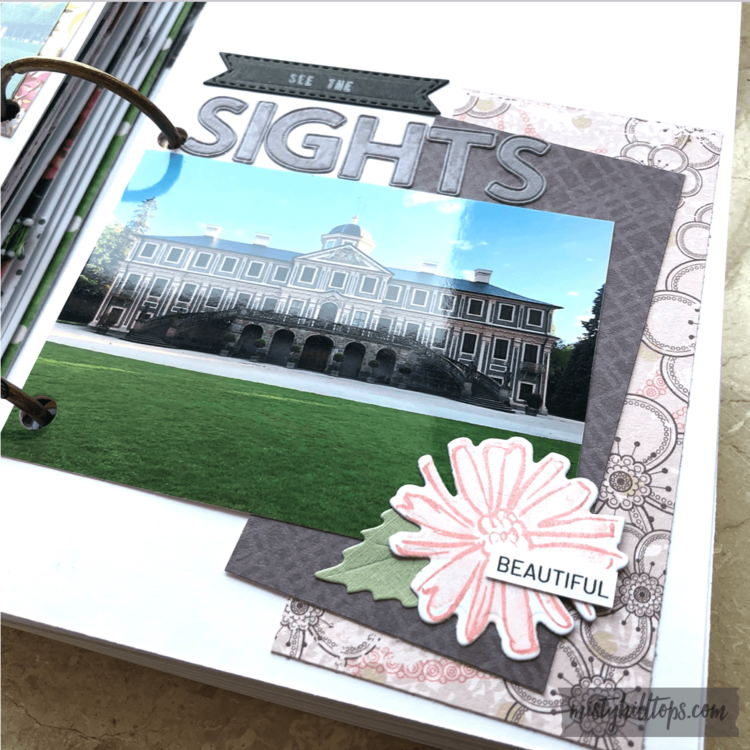
For this layout, I cut a couple of rectangles. I also stamped the pretty flowers (two layers – filling and outline), and used the coordinating die cut. Then I arranged everything in two clusters.

The title I partially stamped, and used a die cut alpha set for the big word.

Deutsch
Für mein Sommertag Album habe ich die Gangart geändert und die Papierkollektion geändert. Das Papier für diese Seite kommt von einem unbenannten Designblock von Tedi.

Für dieses Layout habe ich ein paar Rechtecke ausgeschnitten. Ich habe auch diese hübschen Blumen gestempelt (zwei Lagen – die Füllung und der Umriss), und die dazugehörige Stanzen verwendet, um alles auszustanzen. Dann habe ich alles in zwei Ecken angeordnet.

Den Titel habe ich zum Teil gestempelt, und zum Teil habe ich ein Stanzalphabet verwendet.

Here is a flip through of the entire album:

Hier könnt ihr euch das gesamte Album ansehen:

YouTube player

If you haven’t checked out the Youtube Channel for Misty Hilltops Designs yet, you can do that here: https://www.youtube.com/channel/UCvV6HqDhnOOguRGRzg76gRA/featured.

Falls ihr noch nicht den Youtubekanal für Misty Hilltops Designs entdeckt habt, könnt ihr das hier tun: https://www.youtube.com/channel/UCvV6HqDhnOOguRGRzg76gRA/featured.

Students Return | Die Studenten kommen

English
It’s happening! Almost a week late, but it is happening after all: The students are returning! With strict regulations (e.g. parents and companions are not allowed on campus). And as was foreseeable, this coming weekend there will be classes on Saturday and Sunday to make up for missed classes. But from a quiet campus just a few days ago, this place has turned into a busy city again.

Deutsch
Es ist soweit! Fast eine Woche verspätet, aber es ist tatsächlich soweit: Die Studenten kommen zurück! Mit strengen Regeln (z.B. Eltern und andere Begleitpersonen dürfen nicht auf den Campus). Und wie schon vorhersehbar war: Der Unterricht wird am Samstag und Sonntag nachgeholt werden müssen. Aber wo vor wenigen Tagen noch ein verlassener Campus das Bild prägte, ist die Zahl der Campusbewohner nun wieder auf die einer Kleinstadt gewachsen.

Traveler’s Notebook: Wild at Heart & Find Your Adventure

Anzeige (Enthält Produktempfehlung) / Advertisement (Contains product endorsement)

English
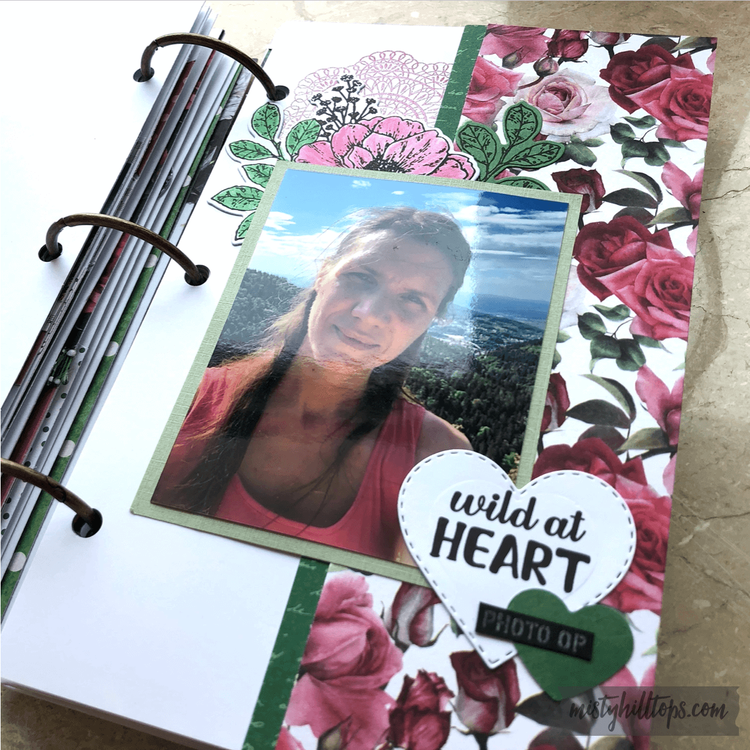
Here are two more pages that I created for the album “One Day in Summer” using the design paper pad “Florals” by Craft Sensations.

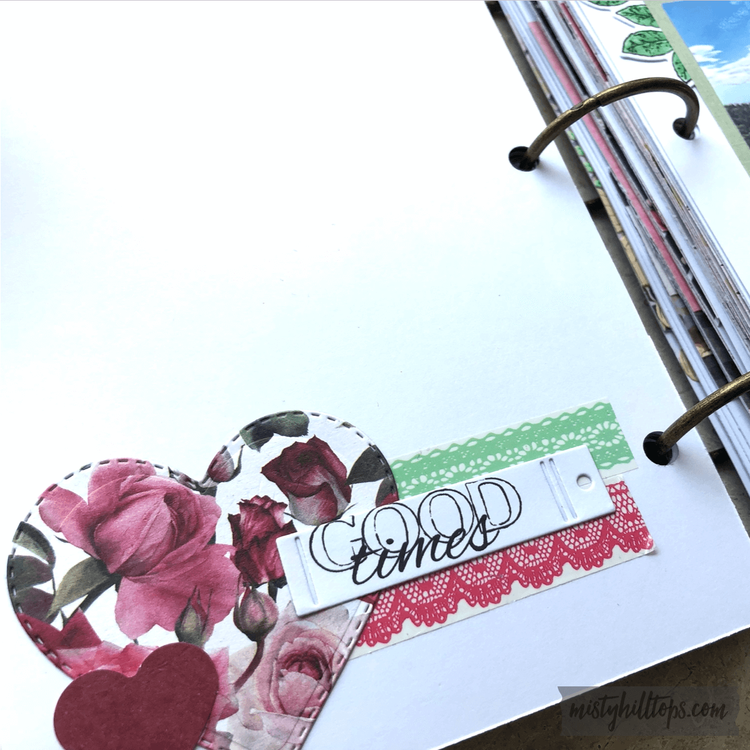
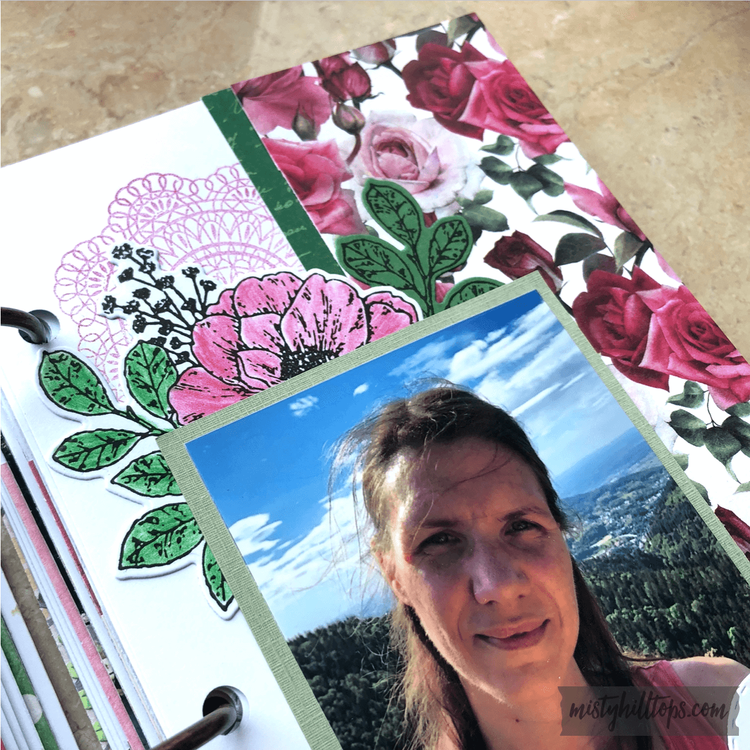
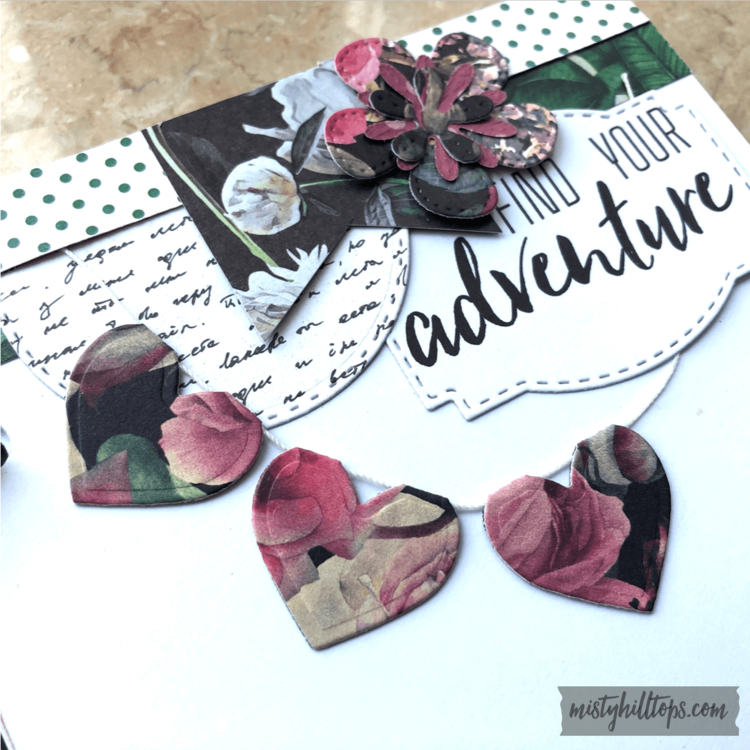
For the first page, I really wanted to use the beautiful floral paper in a way that it would get attention. So I put a strip down the right side. Then I stamped the flower, die cut it together with the leaves, colored it, and added that with the other pieces. I also stamped a doily on the background. The hearts I die cut, and I used two strips of washi tape.

Deutsch
Hier sind zwei weitere Seiten, die ich für das Album “Ein Sommertag” erstellt habe, und dabei das Designerpapier “Florals” von Craft Sensations verwendet habe.

Für die erste Seite wollte ich das schöne Blütenpapier zur Geltung bringen. So habe ich einen Streifen davon auf der rechten Seite angebracht. Dann habe ich die Blume gestempelt, mit den Blättern zusammen ausgestanzt, angemalt, und das mit den weiteren Elementen zur Seite hinzugefügt. Im Hintergrund habe ich noch ein Zierdeckchen gestempelt. Die Herzen habe ich gestanzt, und noch zwei Streifen Klebeband verwendet.

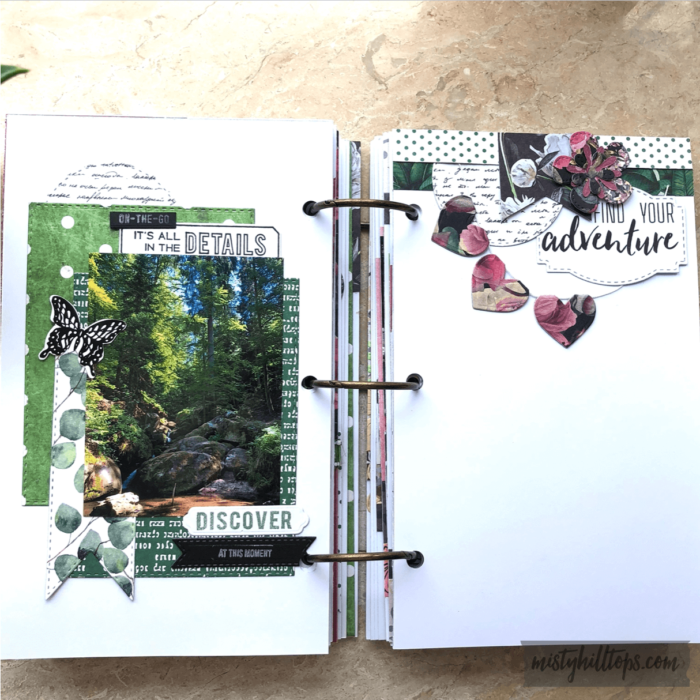
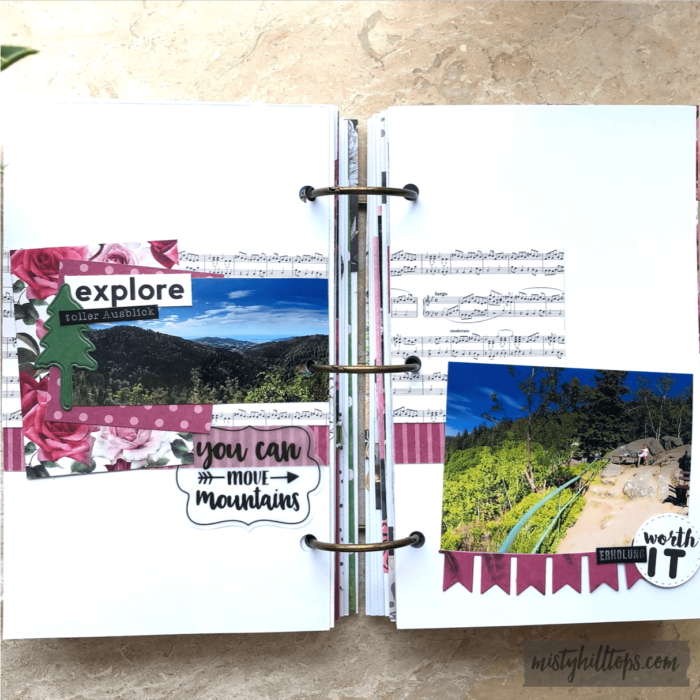
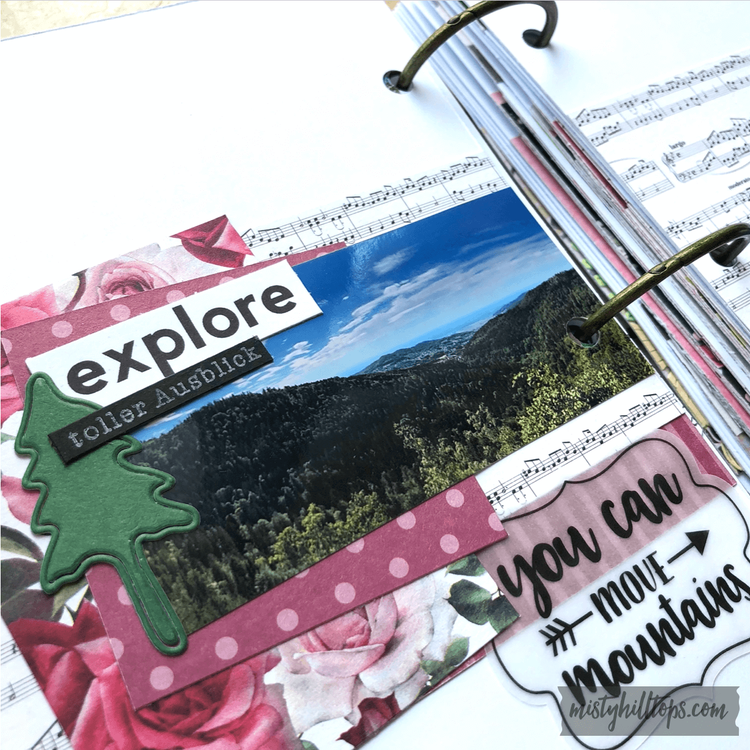
For the second page I trimmed several strips of paper, die cut a paper flag, and I also die cut the hearts that went into the bunting on the right top, together with the flower.

Für die zweite Seite habe ich verschieden große Papierstücke zurechtgeschnitten, die Papierfahne ausgestanzt, sowie das Herzbanner rechts oben, und die Blume dort.

Here is a flip through of the entire album:

Hier könnt ihr euch das gesamte Album ansehen:

YouTube player

If you haven’t checked out the Youtube Channel yet, you can do that here: https://www.youtube.com/channel/UCvV6HqDhnOOguRGRzg76gRA/featured.

Falls ihr noch nicht meinen Youtubekanal entdeckt habt, könnt ihr das hier tun: https://www.youtube.com/channel/UCvV6HqDhnOOguRGRzg76gRA/featured.