Month: May 2011

Behind the Scenes: Using Paper Piecing Patterns in Photoshop

The other day I promised you I would do a tutorial about how to actually use paper piecing patterns such as scrapbooksetc.com offer for free on their website. And today is the day! Like many other resources on the internet, these paper piecing patterns come in .pdf files, which is great when you only want to use them to trace the shapes on an actual piece of cardstock. But how do you go about when you want to use them with a graphic program such as Photoshop? The answer is really simple, and there are different ways how you can actually utilize pdf paper piecing patterns, create clipping masks, or resize these patterns to better meet your needs. Access Patterns in Photoshop The first thing you have to do when working with pdf files, is make sure, you can access the file with photoshop. Some files easily allow that: Simply right click on the file in your folder, and choose the option “Open with …,” and then pick “Photoshop” in the fly-out menu. This will …

Monday Highlight: Worn Photo Overlays

I haven’t done tools and extras for a while in the Monday Highlight, so I’d like to take today’s post and dedicate it to Worn Photo Overlays by Something Blue Studios I’ve had a couple of Danielle’s overlays for quite a while now, and they are something I’ve gone back to time and again. Her worn overlays are perfect to give your page a worn, rugged feel. When you check out her store at Catscrap (or her own website), you’ll find that she actually has quite a couple of sets of overlays for photos, papers, elements, frames, labels, even an alpha. Every set comes with instructions that make the use of these overlays super easy and fun, and I love how real the overlays make the photos look: old, worn, bent, and folded. Danielle’s overlays are some of the most realistic looking overlays I’ve seen on the market yet (and I do have a couple of others, too). Here is one of my latest sample page on which I used Danielle’s Worn Photo Overlays:

Chinese Corner: Computer

  Lesson #5: Computer   电脑 – diànnǎo   dian = electricity, electric nao = brain diannao = electric brain – computer (If you can’t see the Chinese characters, because you don’t have any Asian languages installed on your computer, don’t worry about it.)

Treasure Sunday: New Love

Got you a new pretty page, today: “New Love” by ChantalK I love the simple design of this page. The colors are so pretty, the scattered elements, delicate brush work, great use of white space and arrangements are adorable! And don’t you think the photo is the cutest?

CT Spotlight (05/14)

This was a strange week – as far as my CT obligations were concerned. Never has this happened to me before, but all of the designers I work for decided to take a break this week (probably iNSD was just too crazy, lol!), which means no work officially for me! But I have one product that should be mentioned here, and it’s Libby’s “Here Comes The Sun.” The kit was included in The Digi Files last month, but Libby officially released it today at SSD. Here’s the layout I created for the digi file release, and that was a long while back:

Saturday Feature: Tennis Tournament

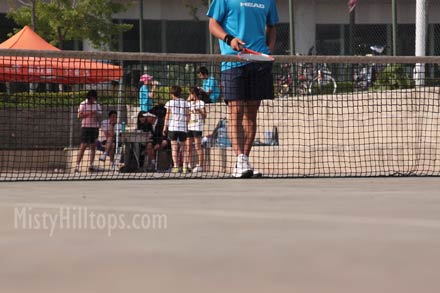
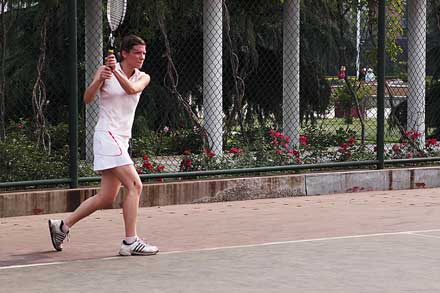
I’ve been trying to keep up with exercising this spring, and exercising for me means: Tennis. Usually, I play on the weekends, when there are no classes and the tennis courts are available for everyone. This weekend, however, there’s not much tennis-playing going on for me. They’ve organized a tennis tournament, but I decided not to take part. Last time I played in a tournament, I made first place in the female category, and that despite the fact that I had just started playing tennis two months before that! Nope, I’m not a tennis super talent. It’s just that the competition is rather poor! So I decided, instead of playing tennis, I’d rather just play “audience,” hang out with the referees (most of them I know from playing with them before), and catch every chance I can to play for fun whenever one of the courts isn’t used for a match. Tomorrow the tournament will conclude with the finals, and maybe those will actually be worth watching!

Freebie Friday: Growth

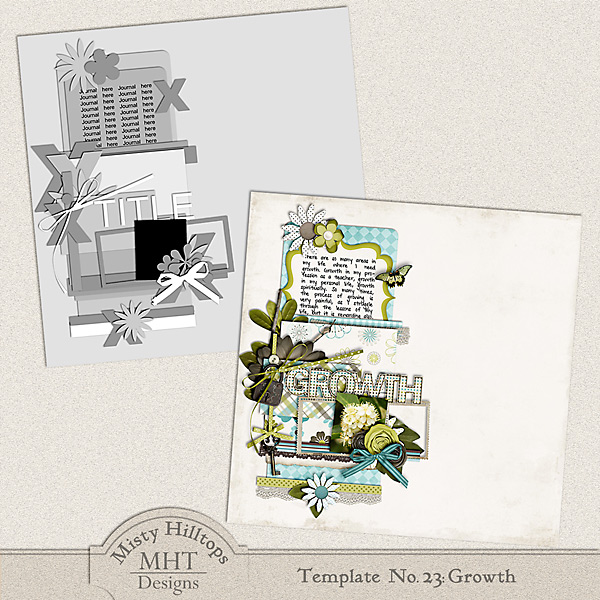
It always makes me so happy to see when a layout done with one of my templates makes a GSO somewhere. This week this happened once again, but before I get to that, let me share this week’s new template with you: It’s a page based on my layout “Growth,” which I created earlier this week. I hope, you’ll enjoy it! And here is the layout, I’ve wanted to share with you, created by Kate: She did such a good job with this page that I first didn’t even recognize the template. And I love how she added her own finishing touches to this layout, making it truly her own page! Thanks for sharing this with us, Kate! Now, I better leave you to your scrapping, but don’t forget to add a link to your finished gallery uploads to this post, so we can all see what you do with this template (and get more inspiration)! Happy Friday, everyone! Note: Please do not re-distribute this template in any way (you may share the link to …