
All posts tagged: tutorial

Behind the Scenes: “Rejoice”

Admitted: yesterday I promised that today I would tell you about what I recently did using all my Christmas kits, but at the time I didn’t realize that I actually confused the order of posts. So, instead I will take you “Behind the Scenes” again today and I hope you don’t mind waiting until tomorrow to find out more about my Christmas goodies! Let’s take a look at “Rejoice” today: Here’s what I did … The challenge for this layout actually was to use two digi-scrap kits and combine them (a challenge posted by Kristin Cronin-Barrow in the SSD thread for International Scrapbook Day). I used a template by Cindy Schneider (SSD), and took two kits, “Serenity” by Zoe Pearn and “Naturally You” by KCB to work with. Using a template of any kind always helps a lot, though I really like to make them my “own”! I do that by adding a few extra embellishments, changing the order of layers, etc. For this page in particular, I added a few scatters (one to the …
101125-IMG_3412

DIY: Christmas Card No. 2

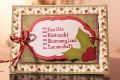
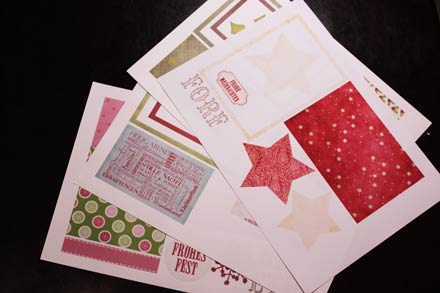
Happy Thanksgiving, fellow digi-scrappers! It’s time for the next round of our Do-It-Yourself tutorial. And since the Christmas season is right around the corner (I just realized that in some places around the world, the 1. Advent will be celebrated this Sunday), I’m going to show you how to make another Christmas card. This week’s Christmas card comes with seven parts: 2 background papers (for the base), 2 mats, 1 label, 1 embellishment, 1 string. You also will need glue (I prefer glue sticks), white  tac, and scissors. 1. Choose the papers and embellishments that you want to work with. My choice for this card was “All That’s Timeless” by Traci Reed and Meghan Mullens (available at SSD). 2. In your graphics program (I use Photoshop), open a new canvas the size of what the card will be (mine will be A6). 3. Now, with the shape tool (set to rectangle) I create four rectangles of different sizes, each on its own layer. The largest will cover the entire canvas and is the background, on …

Inspire Me: December Daily

Just the other day I came across a project on Ali Edwards‘ blog: the December Daily. It is an album project that documents the 25 days leading up to Christmas and I immediately fell in love with this concept. What Ali does is create 25 pages for a Christmas album. She does all the preparations for that album before December 1, so that when the month begins, she can simply enjoy the season, and keep a record of what happens every day in December. Since everything has been prepared beforehand, all she needs to do on the daily basis is add photos and journaling to her pages, and the result is a beautiful record of the Christmas season with her family. Go check out her album project from last year to get inspired HERE. For some inspiration on how to get started for this year, click HERE. As soon as I saw her albums from 2009 & 2008, I was hooked, and I wish we would commemorate the season here like they do in other …

Behind the Scenes: “Little Venice”

I have a lot of photos from the recent China trip when my parents came to visit. And most of the time there are too many great pictures to choose from, so I usually do double pages, where on one page I feature mainly photos of events and sights, on the other page I focus on the people. So, “Little Venice” is a page where you see several photos included, and … Here’s what I did Admitted, I was lazy with this page. Usually arranging lots of photos neatly takes me a lot of time, but I wanted a quick fix, so I based my layout on a template by Erin Ink that was included in the Digi Files in September (if I remember correctly). But I only used the two background papers from that template and in place of the four smaller photos the template actually had 9 squares for clippping. So, I simply used the Control + T keys to change the format of the 9 squares by dragging the corners until I …

DIY: Christmas Card No. 1

Today, I’m bringing you the first ever Do-It-Yourself tutorial on my blog! We are going to create a Christmas card and I will take you through the process step by step. Before we get started though, I should point out that being in China I don’t have access to all the wonderful craft supplies available in other places around the world, so there will be a lot of improvising, and for those with only a small budget available for their crafting, I’ll show how you can save on paper and supplies as we move along. 1. Choose a scrapbook kit or whatever papers you want to work with from your digiscrap stash. I chose “Joy to the World” by Kristin Cronin-Barrow (her Christmas kit is still available at the Sweetshoppe). 2. Open your graphic designs program and create the basic design. In my case, I decided to go with a bright background paper on which I will layer all the other papers and embellishments. I used Melissa Bennett’s “Matted” star (also SSD) to duplicate, resize …