
All posts filed under: DigiScrap Talk

Monday Highlight: Magazine Stand

Who of us digi-scrappers doesn’t aspire to make our scrapbook pages look as realistic as possible? Well, I found a great tool to give your page a fun slant that is a wee bit different than our typical scrapbook layouts. I’m talking about the Magazine Stand templates by Amanda Taylor (taylormade designs at Oscraps). She has two volumes out that are super-easy to work with, and yet highly editable, which means you can pretty much use them any way you want. Magazine Stand Vol. 1 by taylormade designs     True, those of you who digiscrap in order to print an album, probably won’t find much use in these templates. But if you simply are looking for a fun way to document your memories, and make them stand out in the galleries, too, these templates might be just what you are looking for. They come in two versions. One layered template that includes frames and guides (though you have to create your own textpaths), the other version is just a blank page template, which means …
Treasure Sunday: E-mote-ometer

Finding this week’s treasure wasn’t hard at all, since I kept stumbling across some pretty gems out there. But as soon as I saw this layout, I knew I would be adding it to my treasure chest today: “E-mote-ometer” by susieq2u First, I love the concept of this page, and its entire idea! Look at the legend – isn’t it so much fun? Next, the shabbiness, grunginess, messiness of this page caught my eye. I love all the paint splats and torn up stitches. And aren’t her photos the greatest?

CT Spotlight (03/19)

Alright, time to show off this week’s new releases, and that means some gorgeous new products that are available now: Libby created a real beauty with: “And Your Bird Can Sing.” Darcy has re-release that is bigger and better than ever: DJB Annalise 2011. Cindy couldn’t stop herself from producing a card template pack: All in One Card Templates: Set 1. And Stephanie, of course, has a new template set as well: Sassy Starters Blocked Volume 1. Here is some inspiration:  

Freebie Friday: Woman

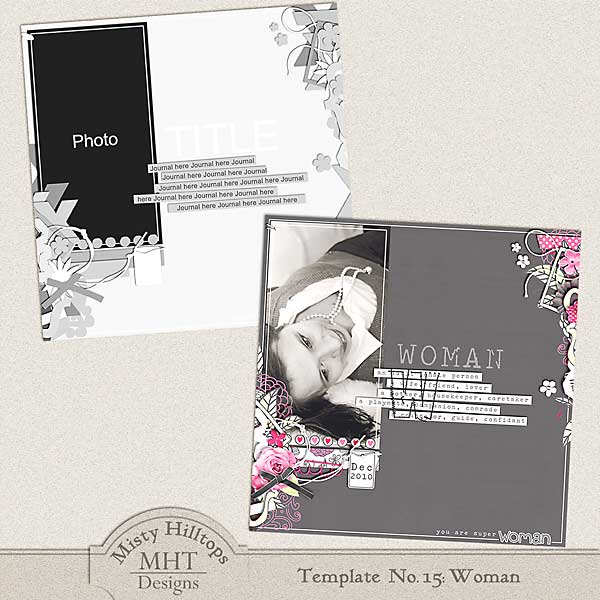
Recently, I’ve been feeling a little tired of the same old same old of my scrapbook pages, so I’ve started exploring and experimenting a little. Here’s one of my latest uploads (“You Are Super-Woman“), and I thought I’d turn it into a template for you. Hope, you’ll enjoy it. Also, I searched the gallery again for another sample of a layout using my templates, and with success. I found … “BCG’s” by mhreen08 … and really liked how the template turned out. She used template No. 12: “Empty,” and I love her photo, choice of papers, the cluster, and the font she chose for the journaling. Great page! Lastly, for those of you who’ve been picking up my old templates, I just recently discovered that one of the freebies weren’t listed in the “freebie” tag. I’m talking about the “Celebrate Christmas” template that I released back in December. While I’ve started to take out some of the older templates, I decided to leave this one in a bit longer so you can still pick it …

Enable Me: Digital Photography School

When searching for some useful tips and tutorials on photography, I stumbled across this website the other day: The Digital Photography School. It comes with lots of great resources and a ton of useful tips on how to improve your digital photography skills. Articles on this website are as varied as … Finding fresh angles to shoot from, Photographing children, Photographing moving subjects, Tips for black and white photography, or even … How to get someone to take your photo! The language used in the article is easy to understand, even for non-professionals, but it also comes with tips and tools for advanced photographers, and experts. So, if you are looking for some ways to get your photography skills up a notch, this might be just the right place for you.

Behind the Scenes: Using Photoshop Brushes on a Scrapbook Layout

Brushes. They are an essential tool for many aspects of graphic design. They also are a great asset on our scrapbook pages. I love brushes. They can give our scrapbook page more dimension, since they usually are applied directly on the background and therefore can serve very well to make the other elements pop off the page a little better. They can add grunge and texture to your page, which can define the tone of your layout. They can be used for emphasis, or in order to draw the observer’s attention to a specific area on the page (see layout below). Originally, for today I had planned to prepare a tutorial on how to use photoshop brushes. But when I started googling this to do some research, I realized quickly that there are actually tons of great tutorials that explain everything you need to know about brushes. So, doing another one would be quite redundant. Simply google for something like “tips for photoshop brushes,” and it will bring up a range of various websites with …

Monday Highlight: Photo Pockets

Something I’ve seen popping up in the galleries more often recently (but which I’ve been in love with for a long time), are photo pockets. You know, the page protector thingies that are so common in traditional scrapbooking. While it is true, that photo pockets can make your page look at little faded (since they are usually placed on top of everything else on your page), it also is true that they can give your layout a fun twist. Photo pockets are so much fun to work with. And they are really versatile, too. You can fill them with photos, papers, elements or with a bit of everything. Photo pockets come in various styles and formats. Like this sample by Joanne Brisebois: While these protectors have a strong reflection (which can distract a little from whatever it is that you want to showcase), I still like them, because they are not like the traditional square format, and the way Joanne divided the various pockets makes them interesting to work with and look at.   Emily …

Treasure Sunday: Always with you

I found it! My gem of the week. It’s … “Always with you” by altalena First of all, I love the dark background with the light border around it. Next, I totally dig the subtle journaling in the background, and the flowers and splashes of yellow popping brightly off the dark background. But of course, it’s the title that stands out the most! Isn’t it amazing how she clipped her photos and papers to the letters, and focuses all your attention right there?

CT Spotlight (03/12)

Time to show off the designer’s new releases this week. Libby came up with a pretty Easter kit: Dye Job. Cindy has a new template pack: Cindy’s Layered Templates – Set #87. So does Stephanie: Sassy Starters Trios Vol. 2. And Darcy produced a new alpha: Stick It Alpha. You want to see what you can do with these products? Take a look:  

Freebie Friday: Small

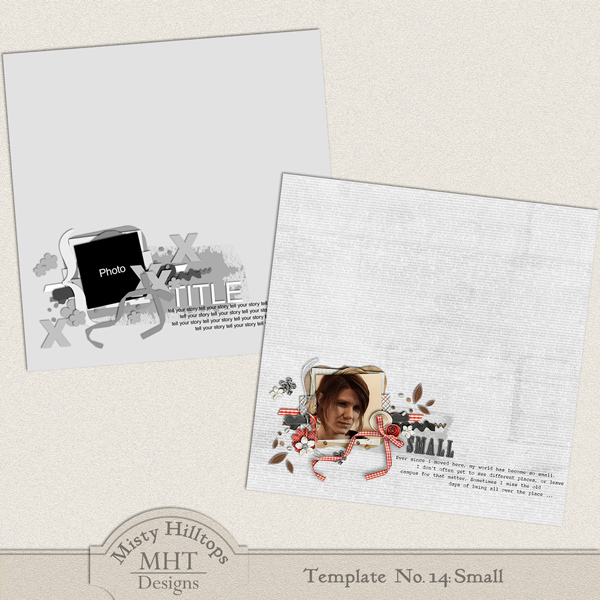
I’m excited to have my website back to the way it should be, and I’m even more excited to have the next template ready for you, featuring my layout “Small.” This time, I went on a little search to maybe find some of the pages you create with these templates in the galleries, and lo! I discovered a gem. It’s this beauty by lynnirene, using my template Holiday Happiness: I love the color palette, and I would’ve never guessed that she used this template for it. Great job, lynnirene! So, fellow digiscrappers, don’t forget to hook me up with what you create with those templates. And until then, enjoy scrapping with this new one. ETA: There was a problem with the file. Thanks for pointing this out to me. It should be fixed now, (I just downloaded and unzipped it without problems), so just try again. Sorry to make you keep coming back. Note: Please don’t re-distribute this template in any way (you may share the link to this post), and when you use this …